

Quick Answer
TL;DR: The Ticktime Pomodoro Timer Cube relies on a built-in gyroscope to instantly start 5, 15, 25, 30, 45, or 60-minute timers just by flipping it. It physically separates your time management from your smartphone, though the inability to use it while charging is a notable flaw.
Ticktime Pomodoro Timer Cube Review – Is It Worth It?
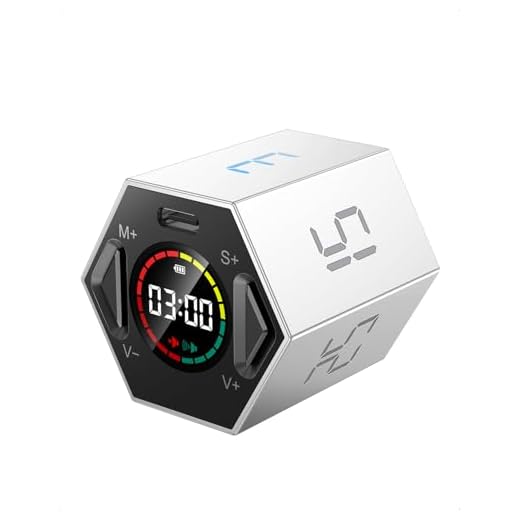
The Ticktime Pomodoro Timer Cube eliminates the friction of starting a focus session by using a built-in gyroscope to trigger pre-set timers the second you flip it onto your desk. If you struggle with digital distractions, picking up your phone to set a 25-minute Pomodoro timer often leads to checking notifications and losing your train of thought. At 1.9 inches wide and weighing just 2.2 ounces, this hexagonal desk accessory physically separates your time management from your screen. After testing it through three weeks of deep-work blocks and daily administrative tasks, the hardware flip mechanism proves far more reliable than software timers, though the battery management requires some planning.

Ticktime Pomodoro Timer Cube
???? Quick Verdict:
Bottom line: The Ticktime Pomodoro Timer Cube is a great tool for anyone needing help with time management, especially in a home office setting. It’s perfect for those who appreciate simplicity and versatility in their productivity tools. However, if you’re looking for something more high-tech, this might not be your cup of tea.
Design & Build Quality
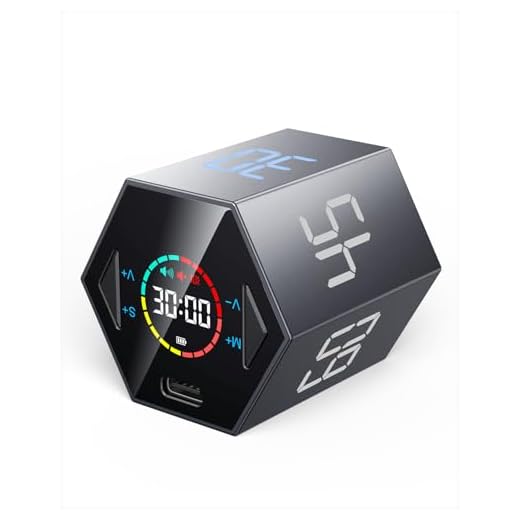
In terms of design, the Ticktime Pomodoro Timer Cube is small and portable, making it easy to carry around. At just 1.9×1.8×1.7 inches, it fits snugly in my palm and has a satisfying weight of 2.2 ounces. The magnetic base is a clever touch; I often stick it to the fridge or my metal desk lamp while working. The material feels robust enough, though it’s not the most premium plastic I’ve encountered. Its minimalistic design suits most environments, but I did find myself wishing it came in more color options.
Features & Performance
The standout feature of the Ticktime Cube is its gyroscope-driven activation. Setting a timer requires zero button presses—flip the cube so the “25” faces up, and a 25-minute Pomodoro session instantly begins. I used the 25-minute and 5-minute presets daily to cycle through focus blocks and short breaks, and the internal sensor registers the flip in under a second. While the presets (5, 15, 25, 30, 45, and 60 minutes) cover most productivity methods, programming a custom countdown using the two small buttons on the base is clunky and requires holding them down while watching a tiny LCD screen. The audible beep is loud enough to hear over noise-canceling headphones, but you can toggle it to a silent flashing light mode for shared office environments.
Battery Life & Connectivity
The 500mAh lithium battery lasts roughly 10 hours of active countdown time, which translates to several days of moderate use before needing a recharge. Charging via the USB-C port is straightforward, and a full charge completes in about four hours. However, a major design flaw is that the timer cannot be used while plugged in. If it dies mid-task, you lose your timing tool until it recharges. There is no app connectivity, but for a device designed to keep you away from your screens, that offline simplicity is exactly the point.
Pros & Cons
Pros
Cons
Technical Specifications
| Dimensions | 1.9×1.8×1.7 inches |
| Weight | 2.2 ounces |
| Battery Type | Rechargeable lithium battery |
| Charging Port | USB-C |
| Charging Time | 12 hours for initial use, 4 hours for subsequent uses |
| Preset Countdown Times | 5/15/25/30/45/60 minutes |
| Custom Countdown Range | 00:01 to 99:59 |
| Dual Timing Modes | Countdown and Count-up |
| Sound Options | Mute or adjustable sound alert |
| Magnetic Base | Yes, for attaching to steel surfaces |
| Usage Restrictions | Not waterproof, do not use while charging |
| Activation | Press any button to activate after charging |
Who Should Buy This?
Buy this if you rely on the Pomodoro technique and want to stop using your smartphone as a timer. The physical act of flipping the cube builds a strong tactile habit for deep work sessions. It is especially useful for remote workers and students who need a visual, screen-free boundary between focus time and breaks. Skip this if you prefer highly customized intervals, as the button interface for non-preset times is frustrating, or if you need a timer that integrates with desktop tracking software.
Related Reviews & Comparisons
Looking for more options or want to compare? Check out our other reviews:
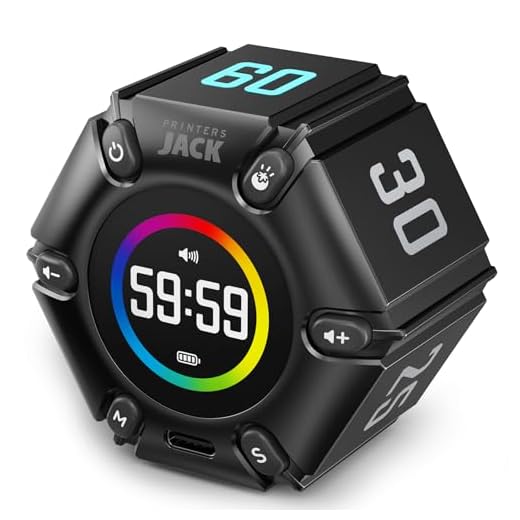
• Jack Pomodoro Timer Cube Review – Great alternative option
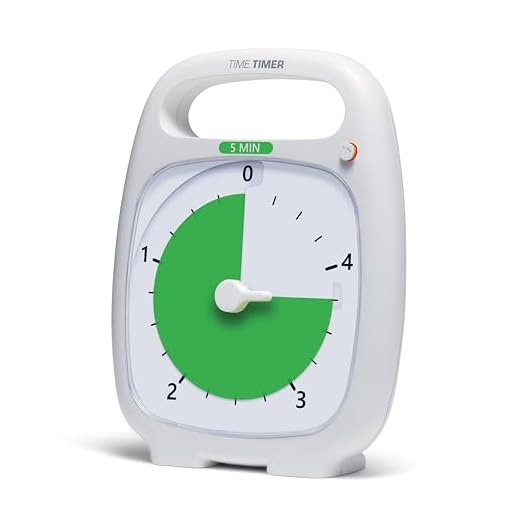
• Time Timer Plus 5 Minute Review – The TimeCube Plus Timer offers a similar cube design and functionality for time management with pre-set intervals, making it a direct competitor in the same category and price range.
Quick Price Comparison
Final Verdict
✅ Final Verdict:
The Ticktime Cube effectively separates your time management from your smartphone. If you struggle with digital distractions during work blocks, grab one to anchor your desk setup. Check the current price below to see if it fits your budget.
Frequently Asked Questions
Can you use the Ticktime Cube silently?
Yes. You can toggle the volume between a loud beep, a low volume alert, and a completely silent mode. In silent mode, the digital display flashes to notify you that your time is up. This makes it highly practical for open-plan offices, libraries, or shared workspaces where an audible alarm would disturb others and break your concentration. It ensures you stay on track without becoming a nuisance.